















MadTech Delta Force
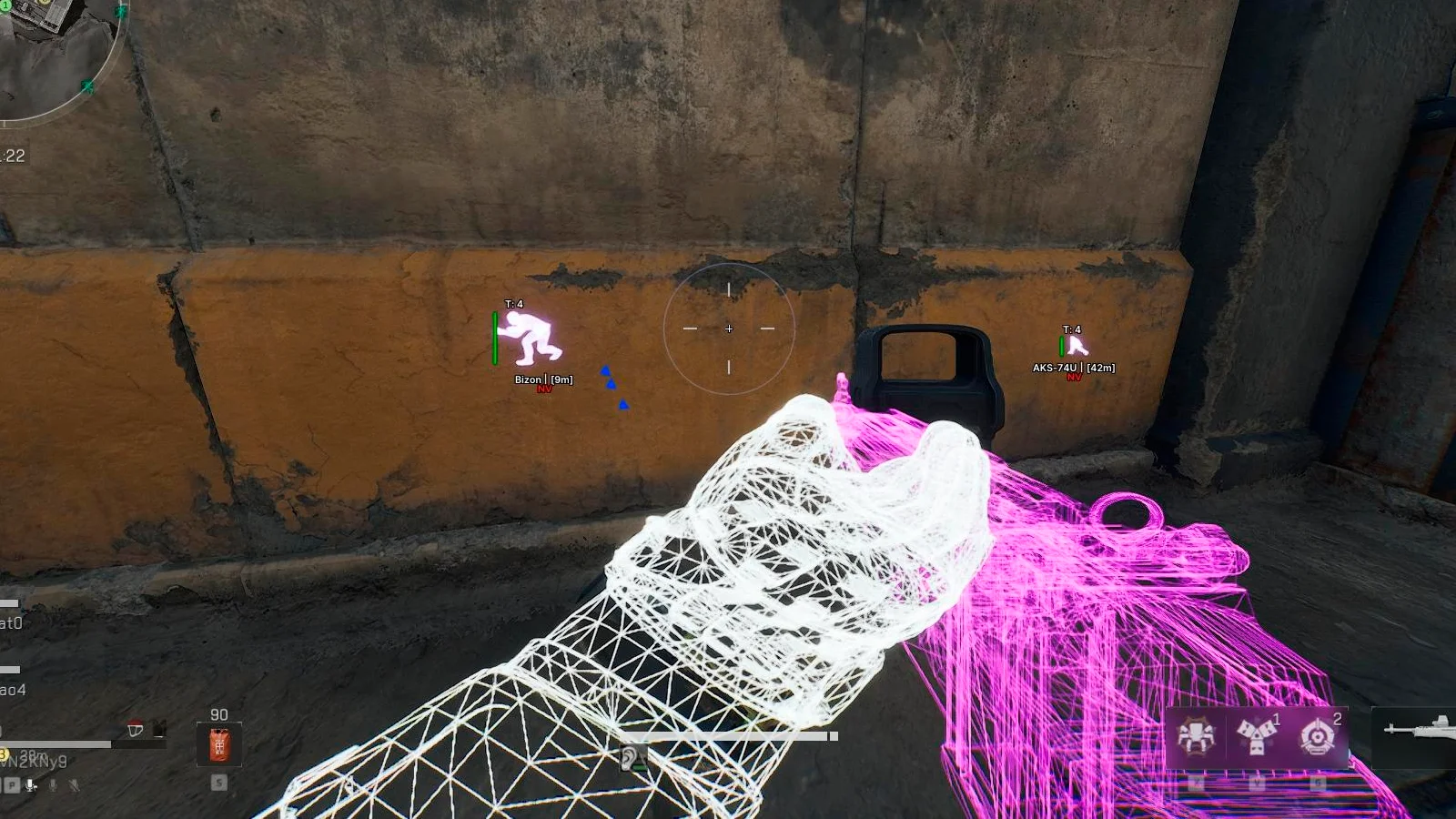
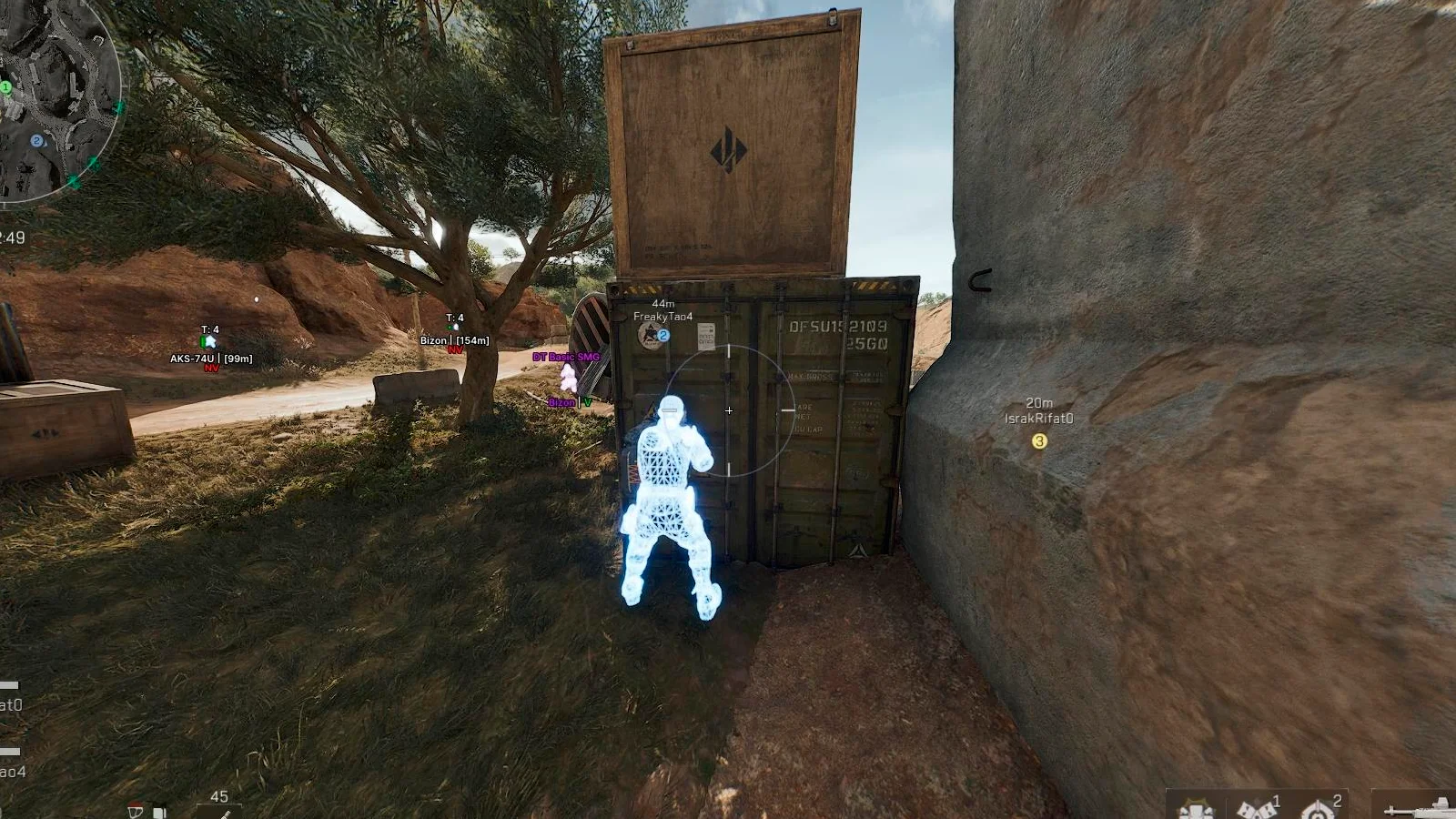
Delta Force cheat MadTech is a powerful all-in-one solution built for players who want better control, precision, and awareness during every match. The software includes a highly customizable Aimbot with adjustable targeting filters, hitbox selection, smoothing, speed, and priority settings, allowing you to fine-tune your aim for consistent and accurate combat. For more discreet gameplay, Silent Aimbot enables precise targeting without moving your crosshair. MadTech also features a detailed ESP and Wallhack system that reveals players, bots, and useful combat information such as distance, weapons, gear, and health indicators. Loot ESP highlights valuable items with price and quality information, helping you quickly locate the best equipment during matches. Additional gameplay enhancements include No Recoil, Instant Hit, crosshair overlay, third-person camera mode, and a FOV changer for improved visibility. The built-in configuration system allows you to save and load profiles instantly, while StreamProof technology keeps the cheat completely hidden during recordings, screenshots, and live streams.

- Operating system:Windows 10, Windows 11 (21H2, 22H2, 23H2, 24H2, 25H2)
- Processor:Intel & AMD
- Client: Steam (Global), Steam (China), WeGame Launcher, Official Delta Force Launcher, Garena
- Enable: Enable or disable the aimbot.
- Visible Only: Targets only enemies that are visible and not behind walls.
- Ignore Knocked: Prevents the aimbot from targeting knocked enemies.
- FOV: Adjust the size of the aimbot targeting area.
- Draw FOV: Displays the aimbot working area as a circle on the screen.
- Target Line: Draws a line to the current aimbot target.
- Max Distance: Sets the maximum distance at which the aimbot will work.
- Aim Key: Select the key used to activate the aimbot.
- Controller Mode: Allows the aimbot to work while using a gamepad.
- Aim Filter (Distance / Crosshair / Lowest HP): Set the priority used for selecting aimbot targets.
- Bone: Choose which body part the aimbot will target.
- Head Chance: Set the probability of aiming at the head in percent.
- Smooth: Controls the smoothness of aim movement for more natural tracking.
- Speed: Adjusts the speed of the aimbot’s movement.
- Stickness: Controls how strongly the aimbot locks onto the target.
- Enable: Enable or disable the Silent Aimbot.
- Draw FOV: Displays the Silent Aim working radius on the screen.
- Draw Target Line: Draws a line to the currently selected Silent Aim target.
- Visible Only: Targets only enemies that are visible.
- Ignore Knocked: Prevents the Silent Aim from targeting knocked players.
- Ignore AI: Excludes AI-controlled enemies from targets.
- FOV: Defines the target capture zone radius for Silent Aim.
- Max Distance: Sets the maximum range of the Silent Aimbot.
- Silent Aim Keybinds: Two separate keys used to activate Silent Aim (controller binds supported).
- Silent Aim Mode: Select the activation mode (Hold, Toggle, or Always).
- Aim Filter: Set the target priority (Closest to Crosshair, Closest Player, or Lowest HP).
- Bone Selection: Choose the body part targeted by Silent Aim (Closest, Head, Neck, Chest).
- Player Chams: Highlights player models through objects and the environment.
- Weapon Chams: Highlights weapons to make them easier to see.
- Hands Chams: Applies color highlighting to the player’s hands.
- Self Chams: Changes the visual appearance of your own character model.
- Players ESP: Displays players using wallhack ESP.
- Bots ESP: Shows bots using ESP.
- Boxes (2D / 3D): Displays targets using 2D or 3D ESP boxes.
- Snaplines: Draws lines from your position to targets.
- Visible Check: Targets behind walls and visible enemies are displayed with different colors.
- Distance: Displays the distance to targets in meters.
- Max Distance: Sets the maximum wallhack rendering range.
- Name: Displays player nicknames or bot names.
- Team Number: Shows the team ID of players.
- Weapon Type: Displays the type of weapon the target is holding.
- View Info: Shows the direction the target is looking.
- Health Bar: Displays the target’s health as a visual indicator.
- Head Circle: Highlights the head hitbox of enemies.
- Line Thickness: Adjusts the thickness of ESP element lines.
- Chams: Highlights targets with bright chams for better visibility.
- Player Gear Info: Displays the name and level of the player’s equipment.
- Hero Name: Shows the name of the selected hero.
- Knocked Player Status: Displays the status of knocked players.
- Loot ESP: Displays loot and items using ESP.
- Name: Shows the names of displayed items.
- Distance: Displays the distance to loot in meters.
- Max Distance: Sets the maximum range of the Loot ESP.
- Price: Displays the price of the detected items.
- Quality: Shows the quality level of the displayed loot.
- Dot: Displays small dots near ESP markers for loot.
- Loot Status: Indicates whether a loot container has been opened.
- Owner Type: Shows the type of loot owner (player or bot).
- Crosshair: Displays a static crosshair in the center of the screen.
- Instant Hit: Applies instant hit registration against enemies.
- No Recoil: Disables weapon recoil for more stable shooting.
- Custom Colors: Customize colors for most visual elements of the Unnamed Delta Force cheat.
- CFG System: Save and manage your configuration settings with the built-in config system.
- Weapon & Hands Offset Changer: Adjust the on-screen position of your hands and weapons.
- Third Person View: Switches the camera to third-person view mode.
- FOV Changer: Allows you to change the camera field of view.
- StreamProof: Keeps the cheat hidden during screenshots, video recording, and live streams.
We also recommend looking at: