

 Escape From Tarkov
 Arc Raiders
 Arena Breakout
 Delta Force
 GTA V FiveM
 Apex
Apex Marathon
 Deadlock
 Marvel Rivals
 Battlefield 6
 Rainbow 6 Siege
 Sea of Thieves
- Call Of Duty
 Pubg
Pubg- Rust
- Dayz
 ARK Ascended
 Arma Reforger
 Fortnite
 Counter Strike 2
 Dead By Daylight
 Squad
Squad Scum
Scum Dark And Darker
- Valorant
- Warthunder
 Hunt Showdown
- DMA Hardware
- Hwid Spoofers



























Madlock Deadlock
Category: Deadlock
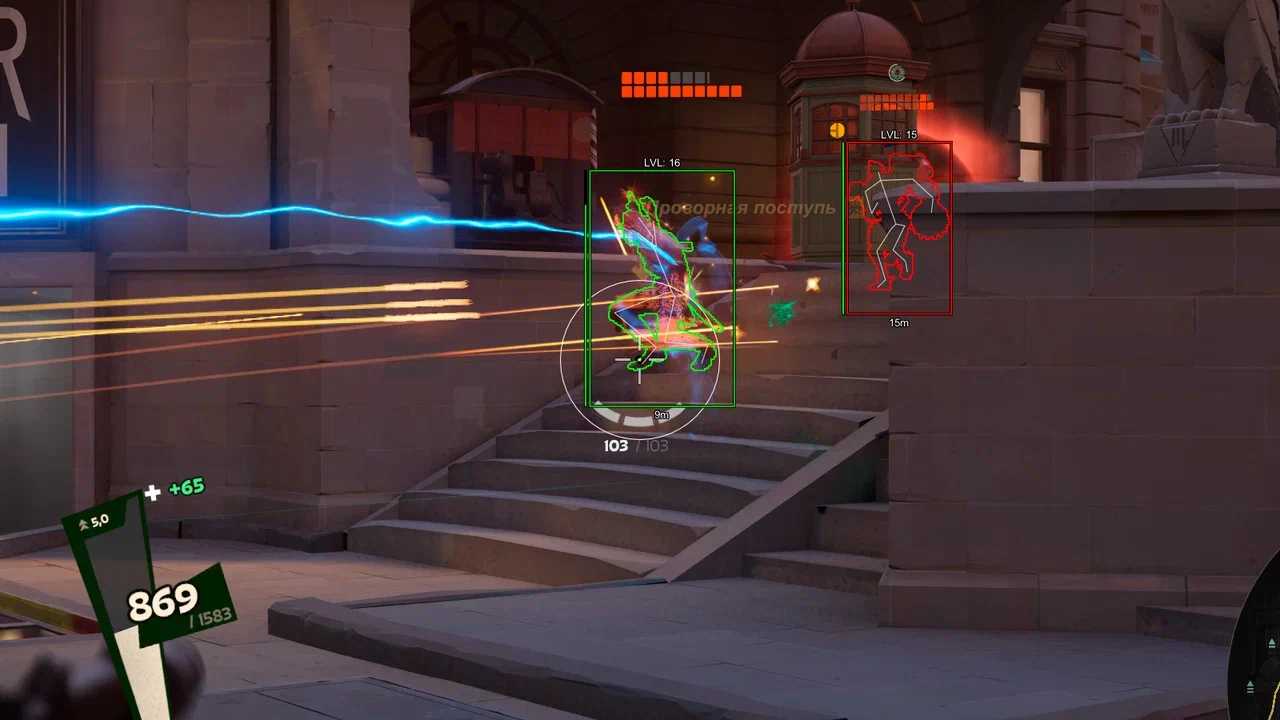
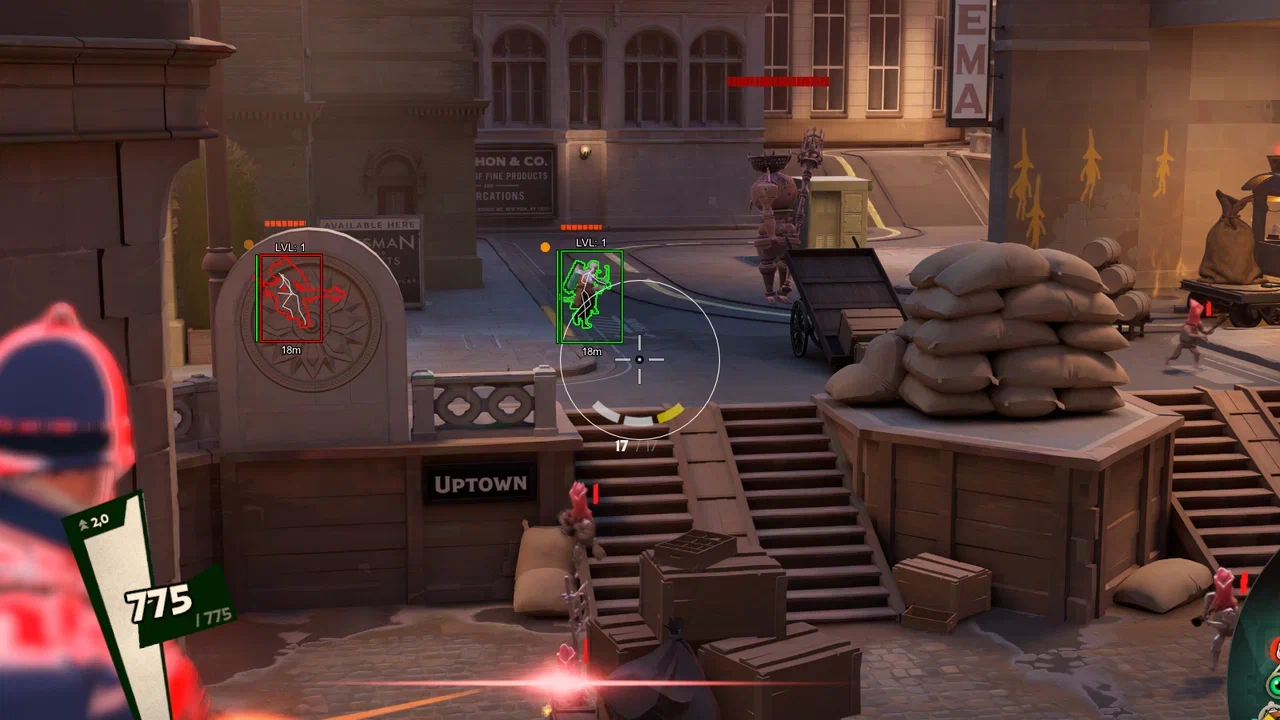
Deadlock Cheat Madlock is a private, performance-focused solution built for players who want precision, control, and clean gameplay in Deadlock.It features both Vector Aim for smooth, legit tracking and Silent Aim for hidden, FOV-based targeting. With full customization, keybinds, bone selection, and options like Magic Bullet and Through Wall, it adapts to any playstyle.The ESP system provides clear player information including health, level, hero, skeleton, glow, and distance, with full color customization and clean visuals.Config support allows quick save, load, and reset for easy switching between setups.Deadlock Cheat Madlock delivers a stable, streamlined, and fully controlled experience.

- Operating system:Windows 10, Windows 11 (21H2, 22H2, 23H2, 24H2, 25H2)
- Processor:Intel & AMD
- Client: Steam
- Enable:
Toggle the vector aimbot on or off instantly. - Aim Mode:
Choose between hold, toggle, or always-active aimbot behavior. - Souls Targeting:
Enable targeting of soul-type entities. - Troopers Targeting:
Include creeps and AI units in aimbot targeting. - Through Wall:
Allows targeting enemies even through obstacles. - Show FOV:
Displays the aimbot field of view directly on screen. - FOV:
Define the area where the aimbot searches for targets. - Smooth:
Adjust aim smoothness for more natural movement. - Bone Selection:
Choose target points such as head or closest bone to crosshair.
- Enable:
Activate or disable silent aimbot with hidden targeting. - Aim Mode:
Select hold, toggle, or always-active activation behavior. - Souls Targeting:
Enable targeting of soul-type entities. - Troopers Targeting:
Include creeps and AI units in silent aim targeting. - Through Wall:
Allows silent aim to target enemies through obstacles. - Magic Bullet:
Ensures shots connect regardless of exact crosshair placement. - Show FOV:
Displays the silent aimbot working area on screen. - FOV:
Set the capture radius for silent targeting. - Bone Selection:
Choose hitboxes such as head or closest point for targeting.
- Players ESP:
Displays players through walls with full visual information. - Enable:
Toggle player ESP on or off instantly. - Show Troopers:
Displays creeps and AI units on the map. - Show Box:
Renders players using box ESP for clear visibility. - Show Health:
Displays player health levels in real-time. - Show Level:
Shows the character level for each player. - Show Hero Name:
Displays hero or class names for quick identification. - Show Player Name:
Displays player nicknames directly on the ESP. - Show Skeleton:
Renders player skeletons for precise tracking. - Show Glow:
Highlights players with a glow effect for visibility. - Show Distance:
Displays the distance to each player.
- Custom Colors:
Fully customize ESP colors for boxes, text, skeletons, and other elements. - Save Config:
Save your current settings for quick access later. - Load Config:
Load previously saved configurations instantly. - Reset:
Restore all settings to default values.